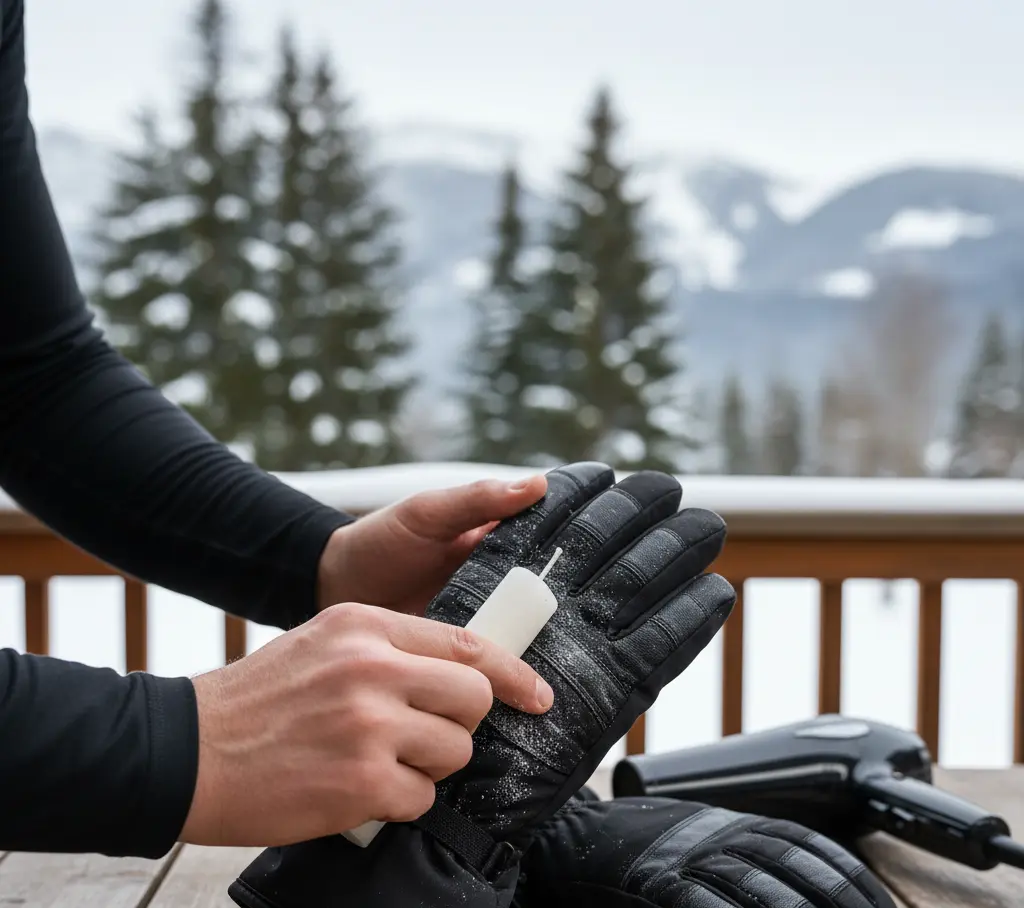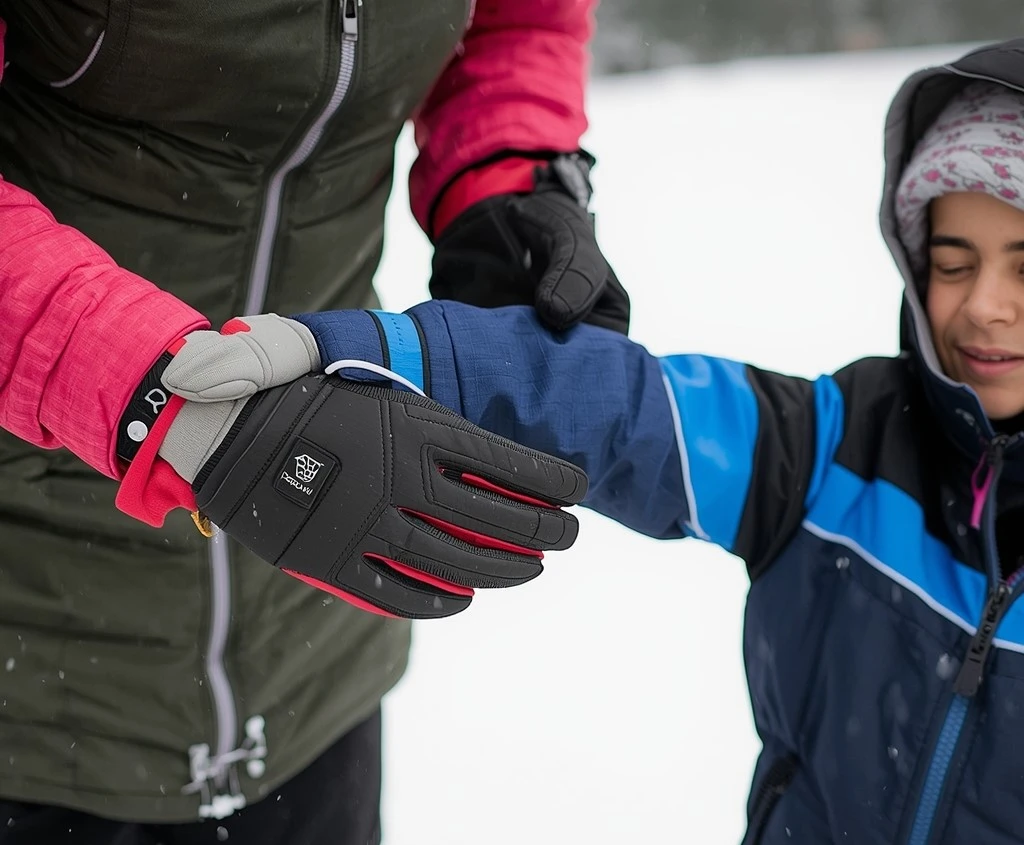
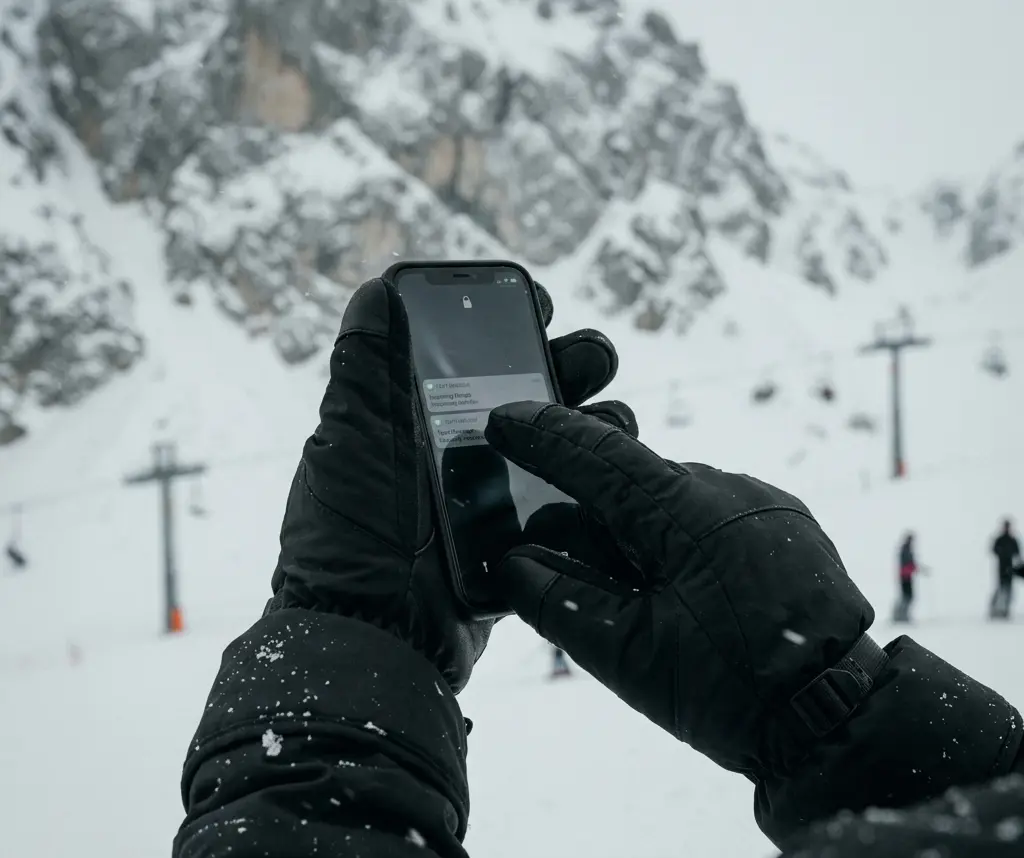
Knowing how to use phone with ski gloves on comes down to matching the right method to the specific task. There is no single solution that works equally well for photographing, typing a message, checking a map, and calling someone — each task has a best method, and using the wrong one for the task produces the frustration that most skiers attribute to gloves being incompatible with phones. They are not incompatible. They are mismatched task-to-method.
In practice, six methods actually work. Some are reliable all day, while others only make sense in specific situations: conductive fingertip layer on the glove, thin touchscreen liner under the shell glove, voice commands, capacitive stylus, hardware button shortcuts pre-assigned before skiing, and bare fingertip as a last resort. Each has a specific context where it works well and a specific context where it fails. The tables and sections below map those contexts directly.
The practical setup that handles the majority of ski-day phone needs combines two of these: a hardware button shortcut for photography, and either a conductive fingertip layer or a liner system for everything else. Voice commands cover the chairlift gap where hands should not be exposed regardless. That three-part system requires five minutes of phone setup at the lodge before the first run and eliminates most of the in-glove phone frustration skiers experience.
Quick Answer: How to Use Your Phone With Ski Gloves On
The most reliable ways to use a phone while wearing ski gloves are:
- Touchscreen-compatible glove fingertips for quick taps
- Thin touchscreen liner gloves under a shell glove
- Hardware button shortcuts for the camera
- Voice commands for messages or calls
- A capacitive stylus stored on your jacket zipper
Most skiers solve the problem by combining two methods: a hardware camera shortcut for photos and either conductive fingertips or liner gloves for basic screen interaction.
Why Ski Gloves Block Touchscreens — and What Actually Fixes It
Touchscreens use capacitive sensing — they detect the small electrical charge conducted through human skin, which is why insulated gloves prevent the screen from registering input. When your finger touches the screen, the electrical field changes and the phone registers a touch. Glove materials — leather, synthetic shell, insulation — are electrical insulators. They do not conduct the charge, so the screen sees no input. The fix, in every method that involves direct screen contact, is introducing a conductive pathway between the screen and something the screen can detect.
Conductive threading in glove fingertips does this by weaving metal-coated fibres — typically silver or carbon-coated nylon — into the fingertip fabric. These fibres conduct the charge from the screen through the glove material to the hand. The reliability of this depends entirely on the thread density and how the layer is constructed. A thin decorative layer of conductive thread produces weak, inconsistent signals. A properly constructed conductive fingertip with adequate thread density produces clean, reliable single taps. Precision typing through even a well-constructed conductive fingertip is slower than bare-finger typing, but single-tap operations — shutter button, map interaction, lock screen — work well.
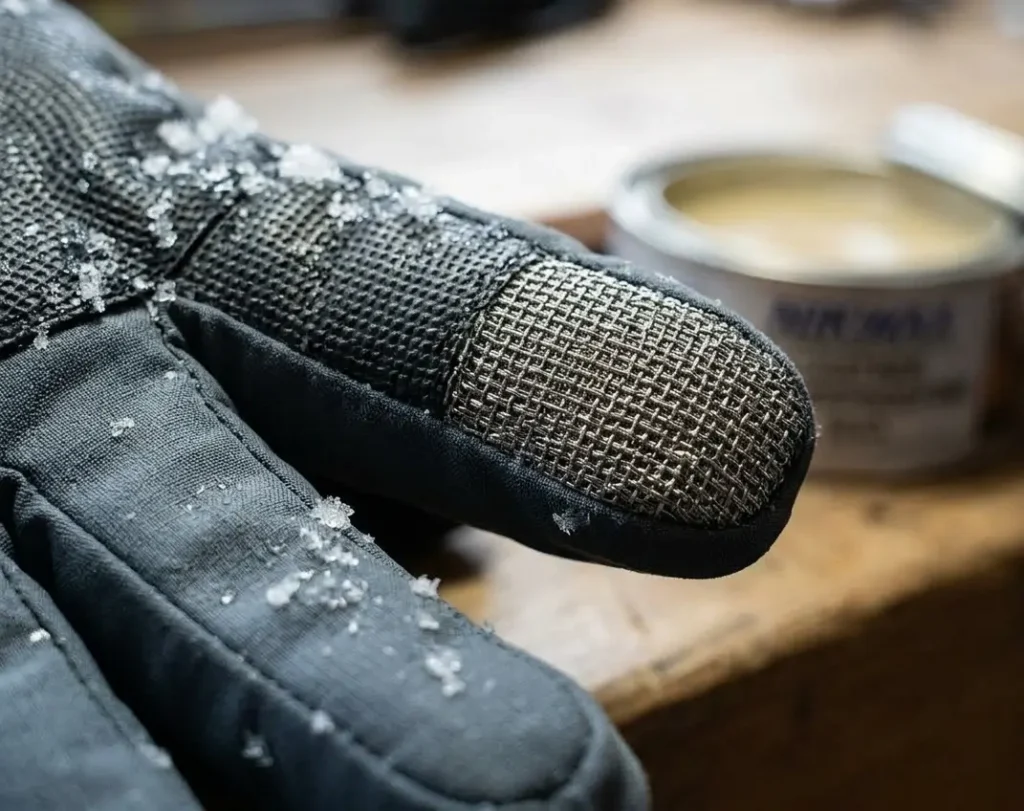
The limitation that most skiers do not account for is wear. Conductive threading degrades with use and washing. A glove that worked reliably in its first season may register taps inconsistently in its second. Testing the fingertip layer at home on your own phone screen before each season — just tapping the screen ten times and counting reliable registrations — tells you whether the method is still viable or whether it is time to switch to the liner system as the primary approach.
Phone sensitivity settings directly affect how well a conductive glove fingertip performs. Most Android phones have a touch sensitivity or glove mode setting in display options. Enabling this increases the screen’s sensitivity to lower-conductivity contacts. On iPhones, a third-party case with raised edges can sometimes help by providing a reference ground point. Test at home with sensitivity at maximum before assuming a conductive fingertip has failed.
How to Use Your Phone With Ski Gloves On: The Four Methods That Work
Many skiers search for “touchscreen ski gloves,” but gloves alone are only one part of the solution. Different tasks — photography, navigation, messaging — require different interaction methods, which is why experienced skiers usually rely on more than one approach.
Method 1 — Conductive fingertip layer
This is the most convenient method for casual, occasional phone use during a ski day. It requires no additional gear, no glove removal, and no preparation beyond confirming the fingertip layer is functional. For tasks requiring a single tap or a short swipe — unlocking, opening the camera, checking a notification — a functioning conductive fingertip is the fastest available method. The limitation is precision: typing a full message through a conductive fingertip takes significantly longer than on a bare screen, and error rate is higher. The right expectation is: tap and scroll tasks work well; extended typing does not. Use this method for quick interactions and switch to another method for anything requiring more than a few inputs.
Method 2 — Thin liner under shell glove
This method produces better touchscreen accuracy than the conductive fingertip approach because the liner is thinner and sits closer to the skin. The sequence is: remove the shell glove (which should hang from a wrist leash rather than being held or pocketed), use the liner-covered hand for phone interaction, replace the shell. With a wrist leash on the shell, the full sequence takes about eight seconds once practised. The liner provides meaningful cold protection for short interactions — a liner-only hand in moderate cold is tolerable for thirty to sixty seconds.
In extreme cold or strong wind, even liner-only hand exposure should be minimised. The critical preparation step is confirming the shell glove has a wrist leash before relying on this method — without a leash, shell management becomes a two-hand juggling problem that negates the efficiency advantage.
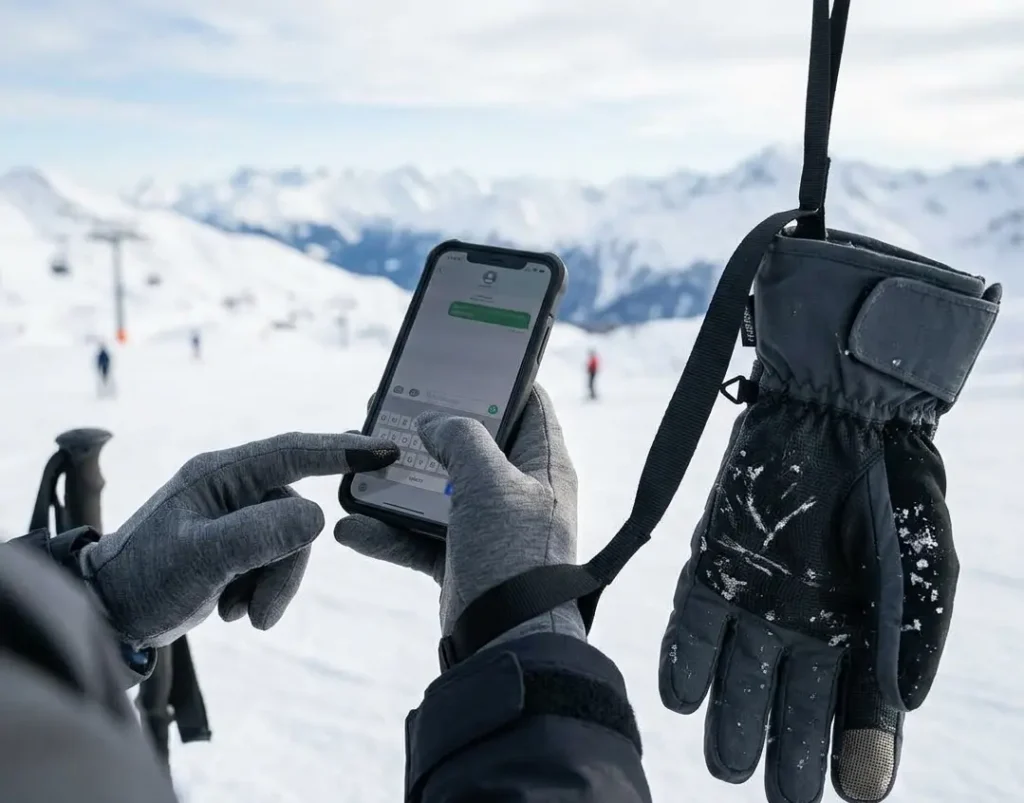
Method 3 — Hardware button shortcuts
This method avoids screen interaction entirely for the most common ski-day phone task: photography. Every major smartphone platform allows assigning a camera launch and shutter function to a hardware button — typically the volume or power button — that can be activated with the phone still in a pocket or with gloves on without any screen unlock required. Setting this up takes two minutes in the phone’s camera or accessibility settings before leaving the lodge. The result is: to photograph, reach into the jacket pocket, point the phone, and press the assigned button.
No screen interaction, no glove removal, no unlock sequence. For the task that most skiers want phone access for most often, this method is the most reliable and the fastest available. Its limitation is obvious: it only addresses photography. For any other task, a different method is needed.
Method 4 — Voice commands
Voice control handles phone tasks that would otherwise require extended screen interaction: sending messages, making calls, setting navigation. The method is completely hands-free and works with any glove. Its reliability is context-dependent in ways that matter specifically on a ski mountain: it works well in the lodge, on a quiet groomed run, and in a sheltered area. It works poorly in strong chairlift wind, in a busy lift queue with surrounding noise, and when a helmet with a face shield affects microphone access.
The practical approach is to use voice commands as the primary method during chairlift rides — hands should be covered on lifts regardless, so voice is the only method that does not require any hand exposure — and to treat it as a supplementary method in other contexts where ambient noise is unpredictable.
What I Learned After Testing Different Methods With My Phone
During a full ski day, I compared a conductive fingertip glove and a liner-plus-shell system by counting successful screen taps during normal use throughout the day. The conductive fingertip registered correctly on approximately seven out of ten tap attempts on a clear dry day — adequate for single-tap tasks but not for anything requiring consistent input. On a wet snow day, the success rate dropped to roughly four in ten because moisture on the glove surface introduced phantom inputs and reduced tip conductivity.
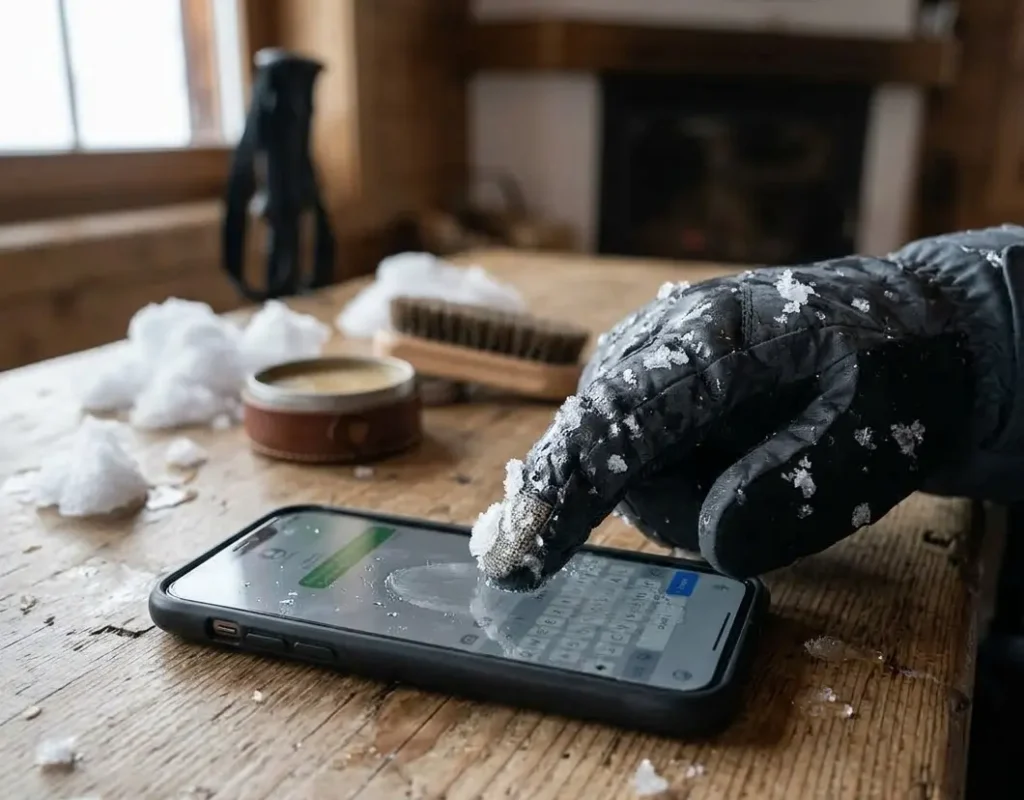
The liner system registered correctly on nine out of ten attempts across both conditions, because the liner material was drier and thinner than the conductive glove fingertip. The trade-off was time: each liner interaction required the eight-second shell removal and replacement sequence, versus immediate interaction with the conductive fingertip. For tasks I could complete in two or three taps, the conductive fingertip won on speed. For anything requiring more than five inputs, the liner system was faster overall because it produced fewer errors that needed correction.
The hardware button shortcut was the clearest win of any test. Setting the camera to launch and shoot on a double-press of the volume button took ninety seconds to configure. For the rest of the day, photographing required pulling the phone from my inside pocket and pressing one button without looking at the screen. I shot more photos on that day than on any previous ski day, and did not remove a glove once for photography. The setup cost was trivial. The benefit was immediate and consistent.
Voice commands on lifts failed more often than they succeeded. The combination of lift machinery noise, wind, and my helmet’s face shield blocking the phone microphone made activation unreliable. What worked better was pre-composing messages in a sheltered area using the liner method, then sending them with a single tap. The expectation that voice commands are a complete chairlift phone solution is wrong in most real conditions — they are a useful supplement, not a replacement for a reliable glove-based method.
Method Comparison: What Each One Actually Handles
Conductive fingertip layer
Works well for single-tap tasks — unlocking, opening the camera, tapping a map location. Fails on precision typing and degrades with wear. The rating on dry days is roughly seven reliable taps in ten attempts for a well-constructed layer; on wet snow days that drops to four in ten. Fast and convenient when it works, unreliable when conditions or wear move against it.
Thin liner under shell glove
Better screen accuracy than the conductive fingertip because the material is thinner and sits closer to skin. Handles typing, scrolling, and multi-tap sequences more reliably. The trade-off is the eight-second shell removal and replacement sequence — fast when practised, awkward when not. Requires a wrist leash on the shell glove, otherwise shell management becomes a two-hand problem. Best for tasks requiring more than three or four inputs.
Voice commands
Completely hands-free — no glove contact needed and no hand exposure in cold. Works well in calm conditions for sending messages, making calls, and setting navigation. Fails reliably in chairlift wind, in lift queues with surrounding noise, and when a helmet face shield blocks the phone microphone. Best treated as the primary chairlift method — hands should be covered on lifts regardless — and as a supplement elsewhere rather than a primary method.
Capacitive stylus
Precise, works with any glove regardless of material, and unaffected by moisture on the glove surface. The limitation is retrieval: a stylus in a hard-to-reach pocket pocket costs more time than it saves. Clipped to the main jacket zipper pull, it is accessible with one gloved hand in under three seconds. Loses to liner on speed for extended interactions but wins on precision for single-tap accuracy in wet conditions.
Hardware button shortcuts
Avoids screen interaction entirely for the most common on-mountain task: photography. A camera shortcut assigned to the volume or power button before leaving the lodge means photographs require pulling the phone from a pocket and pressing one button — no unlock, no screen swipe, no glove removal. The limitation is obvious: it only covers photography. Any other task still requires a different method. For the specific task it covers, it is the fastest and most reliable option available.
Bare fingertip — last resort only
Full touchscreen accuracy and fastest typing, but carries meaningful frostbite risk in cold wind and requires glove management. Acceptable for fifteen seconds in moderate cold when another method has failed. Not a primary method and not appropriate in conditions below -10°C with wind. If bare-fingertip contact is needed regularly, the primary method is wrong for the conditions.
Condition-Based Recommendations: Match Method to Task
| Task You Need to Do | Best Method | Why |
| Quick single tap — trail map, shutter | Touchscreen fingertip | Single tap requires only a small conductive area; even moderately worn fingertip tips work; no glove removal needed |
| Typing a message on the lift | Liner only or voice | Precision typing through a thick conductive fingertip is slow and error-prone; liner gives better accuracy; voice bypasses the problem entirely if wind is low |
| Filming or photographing mid-run | Pre-assigned hardware button | Do not attempt phone touchscreen operation mid-run; assign camera to a physical button before leaving the lodge; single press launches and shoots without screen interaction |
| Checking navigation or trail map | Touchscreen fingertip or liner | Map interaction requires moderate precision; fingertip conductive layer adequate for pinch-zoom and scroll if functional; liner faster if shell has wrist leash |
| Wind-exposed chairlift in cold conditions | Voice commands | Hands should be covered on chairlifts; voice commands allow phone interaction without exposing hands at all; accept lower accuracy in lift noise |
| Phone use in wet or slushy conditions | Liner or stylus | Wet glove surfaces interfere with conductive fingertip performance; liner keeps fingertip drier; stylus unaffected by moisture on glove surface |
| Emergency contact — must reach someone | Liner or bare fingertip briefly | Reliability matters more than cold comfort in an emergency; liner is the fastest reliable option; bare fingertip acceptable for 15-second duration in non-extreme cold |
| All-day frequent use across a resort day | Liner-plus-shell system | Frequent use across a day favours the liner system because repeated shell removal with wrist leash is faster than fighting a worn conductive fingertip layer all day |
Phone Setup Steps to Do Before the First Run
Assign camera to a hardware button
Go to the camera app settings or the phone’s accessibility settings and assign the camera launch and shutter function to the volume button or power button. Test that it works with the phone in a jacket pocket — the point is to be able to photograph without removing the phone from the pocket for setup. This single step eliminates the most common reason skiers need touchscreen access mid-run.
Enable maximum touch sensitivity
On Android, find the touch sensitivity setting in display options and enable it. On iPhone, this option is not built in, but ensuring the screen is clean and dry before putting it away maximises the chance of conductive fingertip contact working. Some third-party screen protectors reduce touch sensitivity — if a matte or privacy screen protector is installed, test conductive fingertip performance specifically with it in place, as the result is often worse than a bare screen.
Test conductive fingertip at room temperature
Cold also stiffens glove materials and can reduce the surface contact area with the screen. A fingertip layer that works at room temperature may perform worse at -10°C as the glove stiffens and reduces the surface contact area. Test at home at room temperature to confirm baseline function, then accept that cold performance will be somewhat below that baseline. If home testing produces fewer than seven reliable registrations in ten taps, the fingertip layer is too worn or too thin to rely on in cold conditions.
Attach a wrist strap to the phone case
This is a prerequisite for any method that involves taking the phone out of the pocket in snow terrain. A phone dropped in deep powder is not always recoverable. A wrist strap adds three seconds to every phone retrieval and eliminates the drop risk entirely. If the current case has no strap attachment point, either add an adhesive strap ring to the back of the case or use a case with a built-in loop. This is not optional in off-piste or powder terrain.
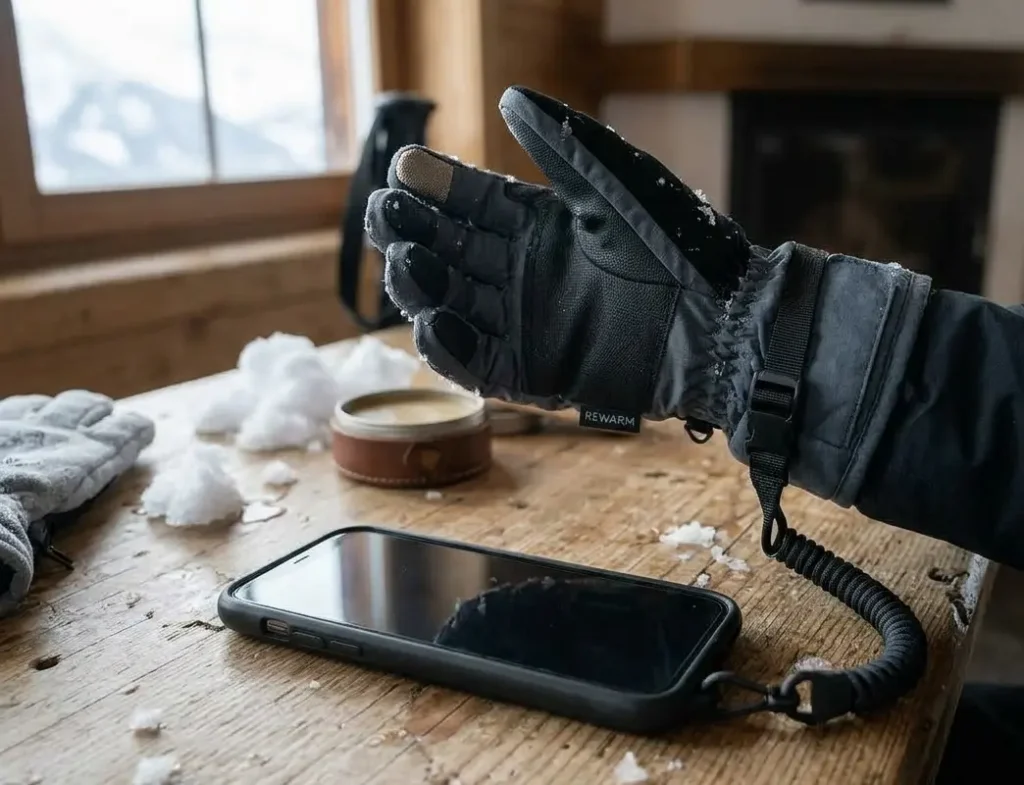
Store the phone in an inside jacket pocket
Lithium batteries lose capacity at low temperatures — a fully charged phone in an external pocket can show thirty percent battery or less after four hours of cold exposure that would not have reduced it at all in an inside pocket. The inside pocket keeps the phone near body temperature, maintains battery performance across a full ski day, and keeps the phone accessible without removing outerwear. The screen-side should face inward against the body to further protect against cold and reduce the chance of accidental activation.
Common Mistakes That Make Glove Phone Use Harder Than It Needs to Be
Not testing the conductive fingertip before the ski day. A conductive fingertip that worked last season may be worn or degraded. Discovering this on a chairlift at -15°C produces the choice of switching to bare-hand contact in cold wind or abandoning the interaction entirely. A thirty-second test at home the evening before confirms whether the method is viable for the day.
Relying on voice commands as the primary method. Voice commands are an excellent supplement but a poor primary method in ski conditions. Lift noise, helmet interference, and wind make activation unreliable in the contexts where hands-free operation matters most. Treating voice as the fallback rather than the primary method and building a reliable glove-contact method as the primary approach produces better outcomes across a day.
Using a phone on moving terrain. Any phone interaction while skiing requires divided attention and at least one hand. Even a brief glance at a notification while moving significantly increases fall risk on any terrain steeper than a gentle green run, especially in cold environments where reduced hand mobility and cold stress affect coordination. The correct habit is to stop on the side of a run or use a designated pull-out area before any phone interaction. This is a safety issue, not a glove issue.
Keeping the phone in an external pocket. External pockets expose the phone to both cold and snow. Cold reduces battery life significantly across a ski day — a phone that lasts eight hours in an inside pocket may last four hours in an external one at ski temperatures. Snow entry in a fall can wet a phone that is only splash-resistant rather than fully waterproof. Inside pocket only, with the screen facing inward.
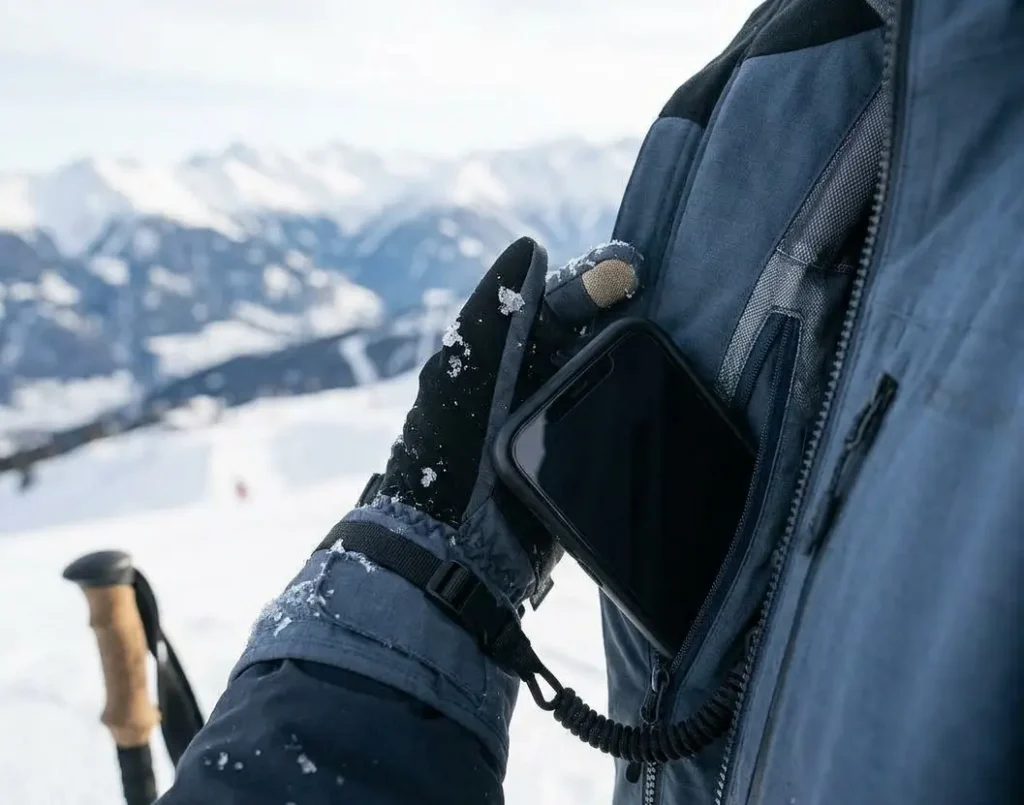
Not practising the liner removal sequence before the mountain. The liner method requires removing an outer shell glove, using the liner-covered hand, and replacing the shell. This sequence takes eight to twelve seconds when practised and feels awkward and slow when it is not. Practising the specific sequence — remove shell, hang from wrist leash, use phone, replace shell — at home until it takes under ten seconds makes it a practical method in cold conditions. Attempting it for the first time on a chairlift in -15°C produces cold hands and dropped shells.
When Phone Use With Gloves Is Not the Right Approach
In active precipitation
Wet and falling snow triggers phantom inputs on capacitive screens — the water conducts charge in the same way a finger does, registering as multiple simultaneous random touches. In falling wet snow or rain, no glove-based method produces reliable screen interaction. Voice commands or pre-configured hardware buttons are the only options that remain functional. If neither is set up, wait for shelter before attempting any phone interaction.
In extreme cold below -20°C effective wind chill
At extreme wind chill temperatures, any hand exposure — including liner-only — carries meaningful frostbite risk in under ten minutes according to cold-weather safety guidance from the CDC. In these conditions, phone use should be limited to pre-configured hardware buttons and voice commands that require zero hand exposure. If a task cannot be completed through those two methods, it should wait until the skier is indoors.
When the task requires extended interaction
Writing a long message, searching for something specific, or any task requiring more than thirty seconds of screen interaction is better addressed from inside the lodge than on the mountain. No glove method provides the accuracy and speed of bare-hand typing. If the interaction is long, the right decision is to complete it from shelter rather than attempting it through gloves with higher error rate and cold-hand risk.
Safety Note
Using a phone while skiing can increase fall risk if it distracts your attention from terrain and other skiers. Always stop in a safe area on the side of the run before interacting with your phone.
Decision Checklist: Set This Up Before You Ski
| Before You Ski | Why It Matters | Priority |
| Camera shortcut assigned to hardware button before leaving lodge | Eliminates the need for screen interaction to photograph; single button press from inside pocket or outside | Do first |
| Phone sensitivity set to maximum or glove mode | Increases responsiveness to conductive fingertip contact; test whether your glove works before relying on it on the mountain | Do first |
| Wrist leash or strap on phone case | Phone dropped in deep powder is difficult to recover; strap is non-negotiable for any out-of-pocket phone use in snow terrain | Required |
| Phone stored in inside jacket pocket between uses | Cold kills battery significantly faster; inside pocket maintains operating temperature and extends battery life on a full ski day | Important |
| Tested conductive fingertip layer at home before the trip | Worn or low-quality conductive threading fails without warning; home test on your own phone screen confirms whether the glove is reliable before it matters | Important |
| Voice assistant set up and tested with gloves on | Voice commands require setup and testing to use confidently; lift noise and helmet interference affect reliability in ways that are only discovered through practice | Important |
| Liner wrist leash or clip system confirmed for quick shell removal | Liner method requires removing outer shell; without a leash the shell must be held, pocketed, or risked dropping; confirm the system works before a ski day | Important |
| Aware of temperature threshold for bare fingertip use | Below -10°C with wind, bare fingertip exposure should be under 15 seconds; know this threshold before assuming a quick bare-hand phone check is safe | Know this |
Quick Problem Diagnosis
| Problem You’re Having | Most Likely Cause | Fix |
| Conductive fingertip worked last season, not this season | Conductive threading degraded through washing or wear | Test at home; if unreliable, switch to liner method or replace gloves |
| Screen registers taps but wrong location | Low conductivity causing phantom input from nearest contact point | Increase phone touch sensitivity; slow down tap; use deliberate firm contact |
| Voice commands not activating on lifts | Wind noise or helmet microphone blocking triggering the assistant | Use wake word loudly and clearly; position phone closer to mouth; accept this method has lift limitations |
| Shell removal too slow in cold — hands cooling | System not practiced; shell management adding too much time | Practice at home until removal and replacement takes under 10 seconds; check wrist leash routing |
| Phone battery dying mid-day | Phone stored in external pocket, cold draining battery | Inside jacket pocket only; cold reduces lithium battery capacity significantly at ski temperatures |
| Screen registering snow or rain as phantom touches | Water droplets triggering capacitive screen | Voice commands or hardware buttons only in wet snow; touchscreen use is unreliable in active precipitation |
| Cannot locate stylus quickly when needed | Stylus stored in a hard-to-reach location | Clip stylus to main jacket zipper pull; should be reachable with one gloved hand in under 3 seconds |
| Wrist leash tangling during shell removal | Leash routing conflicts with liner removal sequence | Practice the removal sequence specifically; route leash to avoid liner interference |
The most common fixable problem: conductive fingertips not registering reliably. Before attributing this to a glove quality issue, check phone touch sensitivity settings, clean the screen, and confirm the fingertip is making firm flat contact rather than a tip-only touch. Half of conductive fingertip failures are phone settings or contact technique, not glove construction.
If phone usability is a consistent issue across ski days, heated gloves with built-in touchscreen compatibility solve both the cold-hand problem and the screen-response problem at the same time — but the specifications that actually determine whether a heated glove works with a phone are not the ones most listings highlight. That breakdown is in How to Choose Heated Ski Gloves for Smartphones.
About the Author
Awais Rafaqat has spent over 15 years testing ski gear across North America — from the dry sub-zero conditions of the Rockies to the wet, heavy snow of the Pacific Northwest. His focus is real-world performance: what gear actually does in the conditions skiers encounter, not what the spec sheet says it should do.
© SkiGlovesUSA.com — Methods described from direct on-mountain and home testing. No sponsored product mentions.